Core Architecture: How Vulnerability Scanners Operate
Automated vulnerability scanning is the foundation of modern Application Security (AppSec).
Application Security Testing Paradigms Comparison Table
| Testing Paradigm | Methodology & Target | Execution Phase in SDLC | Key Advantages | Primary Limitations |
|---|---|---|---|---|
| DAST (Dynamic App Security Testing) | Black-box testing of running application over HTTP | Staging / Production runtime | Tests actual running system; language agnostic; zero false positives from unused code | Cannot pinpoint exact source code line; requires running deployment |
| SAST (Static App Security Testing) | White-box analysis of source code & AST | Pre-commit / CI compile time | Finds code flaws early; highlights exact file and line number | Higher false positive rates; cannot detect runtime infrastructure or network issues |
| IAST (Interactive App Security Testing) | Hybrid runtime agent inside application runtime | Staging QA / Automated testing | High accuracy; combines runtime behavior with code-level stack traces | Requires language runtime agent; performance overhead during execution |
| SCA (Software Composition Analysis) | Scans open-source dependencies (npm, PyPI) | CI build & dependency install | Identifies known CVEs in third-party libraries | Does not test custom proprietary business logic |
| Manual Penetration Testing | Human ethical hacker manual assessment | Annual / Pre-launch compliance | Discovers complex business logic flaws and multi-step attack chains | Expensive; point-in-time snapshot; cannot keep pace with continuous CI/CD |
A web application vulnerability scanner is an automated diagnostic system designed to evaluate the security state of remote applications over HTTP and HTTPS protocols. Rather than passively observing traffic, scanners actively probe every discoverable interface - URL parameters, HTTP request headers, form inputs, cookies, and JSON/GraphQL request bodies.
Modern scanners operate fundamentally across two distinct execution engines:
- Discovery Engine (Crawler): Traverses the application surface by parsing HTML anchors, processing robots.txt and sitemaps, and executing client-side JavaScript inside an automated headless browser (such as Chromium). This ensures single-page applications (SPAs) built with React, Vue, or Next.js have their client-side routes and AJAX endpoints fully mapped.
- Auditing Engine (Fuzzer & Diagnostic Analyzer): Injects controlled test payloads into every discovered parameter, examining HTTP response codes, response latency, reflected byte streams, and server response headers to detect flaws.
Scanners identify technical vulnerabilities (such as unescaped reflection or SQL syntax errors). They produce diagnostic findings; human engineers must validate contextual business risk.
Passive Scanning vs. Active Probing: Operational Differences
Understanding the distinction between passive analysis and active fuzzing is critical for production deployment safety:
Passive Scanning (Non-Intrusive)
Passive scanning operates purely by inspecting normal application responses without modifying query parameters or injecting unexpected characters. It evaluates:
- HTTP security headers (
Content-Security-Policy,Strict-Transport-Security,Permissions-Policy) - Cookie flags (
HttpOnly,Secure,SameSite) - TLS configuration (cipher suites, certificate expiration, protocol versions)
- Information disclosure in HTML comments, client-side source maps, or server banner headers
Because passive analysis does not alter request inputs, it carries zero risk of data corruption or application crash.
Active Scanning (Intrusive Probing)
Active scanning sends specially crafted payloads designed to elicit anomalous responses. For example, it injects boundary characters (', ", <, {{7*7}}) to detect SQL injection, cross-site scripting, and server-side template injection. Active scans must be scheduled thoughtfully or run against dedicated staging environments.
Vulnerability Scanning Taxonomy: DAST, SAST, and SCA
Modern application security programs do not rely on a single testing approach. Understanding where DAST fits alongside SAST and SCA is critical for architecting effective defense pipelines:
| Testing Methodology | Target Analyzed | Access Level | Optimal For | Blind Spots |
|---|---|---|---|---|
| DAST (Dynamic) | Running application over HTTP | Black box / Gray box | Injection flaws, TLS, CORS, headers, auth cookies | Complex backend logic, unlinked routes |
| SAST (Static) | Source code repositories | White box | Insecure APIs, crypto bugs, hardcoded secrets | Runtime configurations, cloud environment |
| SCA (Composition) | Package manifests (npm, pip) | White box | Known CVEs in open source dependencies | Custom application code, zero-day flaws |
| IAST (Interactive) | Runtime agent inside application | Glass box | Correlated runtime trace with source line | Framework compatibility, agent overhead |
The Six Stages of the Web Scanning Lifecycle
An enterprise-grade vulnerability scan follows a rigorous, sequential lifecycle designed to maximize coverage while minimizing disruption:
- Discovery & Crawling: The scanner maps application surface by parsing HTML links, processing robots.txt and sitemaps, and executing a headless browser to detect dynamic routes rendered by client-side frameworks like React or Vue.
- Fingerprinting & Technology Profiling: Analyzes HTTP response headers, script signatures, and favicon hashes to identify the operating system, web server (e.g., Nginx, Apache), backend runtime (e.g., Node.js, Python), and CMS.
- Test Selection & Payload Injection: Based on fingerprinting, the engine dispatches targeted attack vectors for injection flaws, authentication weaknesses, and misconfigurations.
- Response Differential Analysis: Compares baseline responses against probe responses, examining reflection, error patterns, and timing variations.
- False-Positive Reduction: Correlates findings across heuristics and secondary verification rules to suppress false alarms.
- Scoring & Reporting: Categorizes issues by severity (Critical, High, Medium, Low, Informational) using CVSS scoring metrics.
# Example: Automated DAST differential test for reflected input
# Step 1: Baseline request
GET /search?q=security HTTP/1.1
Host: example.com

# Step 2: Injected probe request
GET /search?q=test%22%3E%3Cscript%3Ealert(1)%3C%2Fscript%3E HTTP/1.1
Host: example.com

# Step 3: Vulnerable response analysis (unencoded reflection confirms XSS)
HTTP/1.1 200 OK
Content-Type: text/html; charset=utf-8
...
<div>Results for: test"><script>alert(1)</script></div>
Understanding CVSS v3.1 Scoring Mechanics
Scanners categorize findings using the Common Vulnerability Scoring System (CVSS v3.1), which scores vulnerabilities on a 0.0 to 10.0 scale across three metric groups:
- Base Metrics: Reflect the inherent qualities of a vulnerability that remain constant over time and user environments. Includes Attack Vector (AV: Network/Adjacent/Local), Attack Complexity (AC: Low/High), Privileges Required (PR: None/Low/High), User Interaction (UI: None/Required), and Scope (S: Unchanged/Changed).
- Impact Metrics: Assess Confidentiality (C), Integrity (I), and Availability (A) on None/Low/High scales.
- Severity Bands:
- Critical (9.0-10.0): Immediate remote exploitation possible without privileges (e.g., unauthenticated RCE, critical SQLi).
- High (7.0-8.9): Elevated impact requiring minimal privileges or complex exploitation conditions.
- Medium (4.0-6.9): Requires user interaction (e.g., Reflected XSS) or limited scope compromise.
- Low (0.1-3.9): Minor information disclosure or hardening omissions.
What Scanners Detect vs. What Requires Human Review
Automated vulnerability scanners excel at broad, rapid coverage of known syntax and structural flaws, but they possess fundamental limitations when evaluating business context:
Scanners Excel At:
- Detecting missing or misconfigured HTTP security headers
- Flagging known CVEs in third-party JavaScript libraries
- Identifying reflected and stored XSS patterns
- Finding SQL injection through error messages and response delay differentials
- Identifying outdated TLS cipher suites and expired certificates
Scanners Struggle With:
- Broken Object Level Authorization (BOLA/IDOR): Scanners cannot infer whether User A should be allowed to view
/api/orders/4582belonging to User B. - Business Logic Flaws: Scanners cannot detect that applying a 100% coupon code twice makes an order free.
- Multi-Step Workflows: Multi-factor authentication, CAPTCHA challenges, and complex checkout flows frequently block automated crawlers unless recorded authentication scripts are configured.
Integrating Scanners into CI/CD Workflows
To prevent vulnerabilities from reaching production, modern DevSecOps teams integrate DAST scanners directly into pull request checks and deployment pipelines. The typical pattern involves:
- Ephemeral preview environment deployed on pull request creation.
- Containerized DAST scan triggered against the staging endpoint.
- Quality gate evaluation: fail the pipeline if any Critical or High severity vulnerabilities are discovered.
- Automated PR comments with actionable remediation steps.
# GitHub Actions workflow example: Automated security gate
name: Security Scan Gate
on: [pull_request]
jobs:
  security-audit:
    runs-on: ubuntu-latest
    steps:
      - uses: actions/checkout@v4
      - name: Deploy Ephemeral Staging
        run: ./scripts/deploy-preview.sh
      - name: Run DAST Vulnerability Scan
        run: |
          curl -X POST https://api.wesecurex.com/v1/scans \
            -H "Authorization: Bearer ${{ secrets.WESECUREX_API_KEY }}" \
            -d '{"target": "https://preview.example.com", "failOn": "high"}'
The Evolution of Vulnerability Scoring: CVSS v4.0 vs. CVSS v3.1
Published by FIRST in November 2023, CVSS v4.0 represents the next generation of vulnerability scoring, addressing limitations in CVSS v3.1:
- Fine-Grained Exploitability: Replaces the generic 'Access Complexity' metric with separate Attack Complexity (AC) and Attack Requirements (AT) metrics, distinguishing between defensive technologies (like ASLR) and prerequisite execution conditions.
- Supplemental Metric Group: Introduces new metrics for Safety, Automatable (whether botnets can weaponize the flaw), Recovery, and Value Density.
- CVSS-BTE Nomenclature: Explicitly distinguishes between Base (CVSS-B), Base + Threat (CVSS-BT), and Base + Threat + Environmental (CVSS-BTE) scores to prevent organizations from relying on base scores alone.
You can launch automated DAST scans and track CVSS severity findings directly within the WeSecureX Security Scanner.
Continuous DAST Scanning & Attack Surface Management with WeSecureX
Traditional vulnerability scanners operated as bulky, isolated desktop utilities that required cumbersome manual configuration and generated static PDF exports that sat ignored in developer backlogs. Modern web engineering demands an integrated, cloud-native platform that unifies dynamic probing with continuous perimeter discovery.
The WeSecureX Platform Architecture
The WeSecureX Platform is built from the ground up for modern microservices and Jamstack applications:
- Headless DOM Crawler: WeSecureX deploys containerized Chromium instances that render modern Single Page Applications (Next.js, React, Vue, Angular). It executes JavaScript event handlers, follows dynamically hydrated routes, and captures client-side API requests that traditional regex crawlers completely miss.
- Smart Perimeter Reconnaissance (EASM): Before firing dynamic test vectors, the engine maps your external digital perimeter using the Surface Recon Console. It discovers rogue subdomains, orphaned staging servers, expiring TLS certificates, and unvetted third-party JavaScript scripts.
- Continuous DAST Probing Engine: The auditor actively injects non-destructive test vectors across URL parameters, HTTP headers, JSON payloads, and form fields to detect SQL injection, Cross-Site Scripting (XSS), Server-Side Request Forgery (SSRF), and broken access controls.
- Actionable Vulnerability Management: Discovered flaws are triaged into the WeSecureX Vulnerabilities Dashboard, providing real-time CVSS v4.0 and v3.1 severity scores, confirmed HTTP evidence, and step-by-step developer remediation code.
Operational Workflow: From Scan Launch to Remediation
Launching an enterprise-grade scan takes less than 30 seconds:
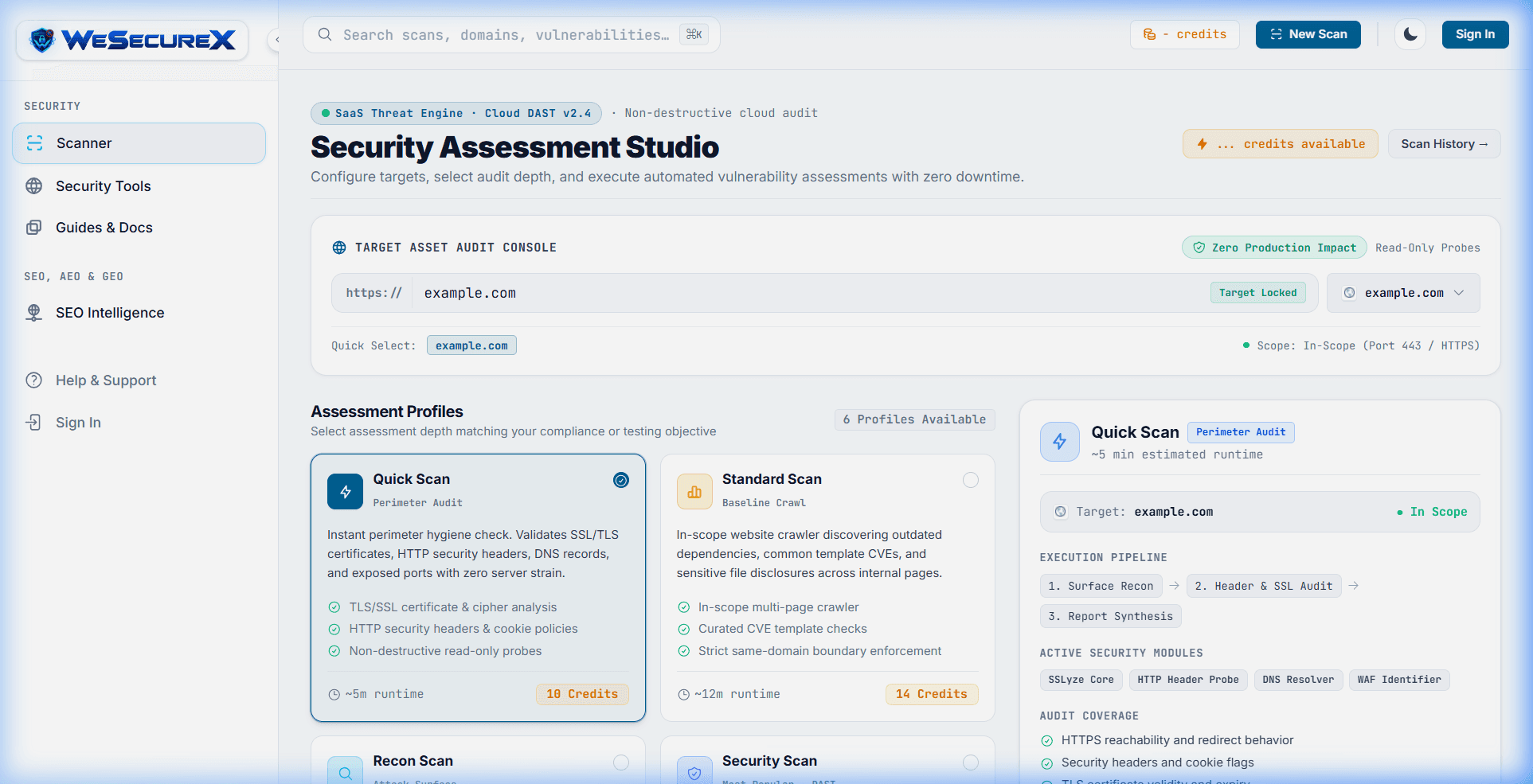
- Step 1: Enter your target domain in the WeSecureX Scan Console and select your audit profile (Quick Perimeter, OWASP Top 10, or Full DAST Audit).
- Step 2: The automated engine validates target reachability, executes TLS handshake inspections, crawls application routes, and executes injection fuzzing.
- Step 3: Review findings in your unified dashboard or export compliance-ready PDF reports for executive stakeholders.
- Step 4: Once developers deploy patches, execute a targeted one-click re-scan to cryptographically verify remediation.
Get started immediately with the WeSecureX Website Scanner, explore our Free Security Tools, or read our engineering guides on How to Scan a Website Without Breaking It and Vulnerability Scanning vs Penetration Testing.
# Initiate an automated perimeter & DAST scan via WeSecureX CLI
$ npx wesecurex-cli scan https://app.example.com \
    --profile full \
    --auth-bearer "$TEST_SESSION_TOKEN" \
    --fail-on-cvss 7.0

[1/4] Discovered 42 active routes and 18 authenticated endpoints
[2/4] Auditing SSL/TLS & Security Headers: Grade A+ (HSTS Preloaded)
[3/4] Running OWASP Top 10 Active Probes: 124 vectors tested
[4/4] Scan complete in 48s: 0 Critical, 0 High, 1 Medium (Cookie SameSite)
[INFO] View interactive dashboard: https://wesecurex.com/vulnerabilities
Apply it with WeSecureX
Add a hostname you own or are allowed to test, run a scan, and open the findings for that target. A confirmed result includes the request WeSecureX sent and the response the site returned, so you can reproduce it, fix it in your own application, and rescan the same host to confirm the issue is gone. WeSecureX is automated testing, not a manual penetration test, and a clean report is not a promise that every weakness is gone.
WeSecureX modules for this topic
Checks that belong with this topic
- Define target scope: explicitly include and exclude domains and subdomains.
- Obtain written authorization before scanning any infrastructure or hosted service.
- Whitelist scanner IP addresses in WAF, IDS, and rate-limiting appliances.
- Configure authenticated session tokens or test credentials for deep endpoint access.
- Blacklist destructive actions (e.g., account deletion, payment checkout, bulk emails).
- Set crawler concurrency and request rate limits to protect server stability.
Common Mistakes to Avoid
❌Scanning production during peak business hours with unrestricted active fuzzing
Why it happens: Teams schedule scans on default timers without coordinating with traffic peaks.
Why it matters: High-concurrency fuzzing can saturate web servers, trip rate limiters, or exhaust database connection pools, causing service degradation.
Correct approach: Scan against pre-production staging environments or schedule production scans during designated off-peak maintenance windows with throttled request rates.
❌Treating a clean scan report as a guarantee of complete security
Why it happens: Management assumes automated tools replace manual penetration testing.
Why it matters: Scanners cannot detect logical privilege escalation, multi-tenant data leaks, or custom workflow flaws.
Correct approach: Use vulnerability scanning for continuous baseline coverage and complement it with periodic manual penetration tests.
❌Failing to provide authentication state to the crawler
Why it happens: Teams run black-box scans against only public landing pages without credentials.
Why it matters: Up to 90% of an application's attack surface resides behind login screens and session cookies.
Correct approach: Configure authenticated scanning using session tokens, API keys, or automated login recording scripts.
❌Ignoring 'Low' and 'Informational' findings indefinitely
Why it happens: Developers prioritize only Critical and High alerts to clear backlogs.
Why it matters: Information leaks (e.g., stack traces, server version banners) provide attackers with reconnaissance data needed to chain complex exploits.
Correct approach: Establish an SLA for low-severity issues (e.g., 60 days) to prevent technical debt accumulation.
❌Allowing crawlers to submit unmonitored production forms
Why it happens: Automated crawlers click every submit button and send dummy data into contact forms.
Why it matters: Can trigger thousands of automated emails to sales teams, generate bogus support tickets, or incur external API charges.
Correct approach: Blacklist state-changing form actions (e.g., `/contact`, `/checkout`, `/delete`) in crawler configuration or use dedicated sandbox accounts.
Troubleshooting Guide
Problem: Scanner report shows 0 vulnerabilities, but manual testing uncovers obvious flaws
Possible Causes:
- WAF or cloud reverse proxy blocked the scanner's IP address early in the scan.
- Crawler failed to authenticate and only scanned the login page.
- Client-side SPA routes required JavaScript rendering that the crawler did not execute.
How to verify: Check the scan log for total URLs crawled. If only 1-3 URLs were visited, crawling was aborted early.
How to fix: Whitelist the scanner IP in your Cloudflare/AWS WAF, verify authentication cookies, and enable headless browser rendering.
Problem: Vulnerability scan triggers account lockouts across test users
Possible Causes:
- Active authentication fuzzer tried hundreds of invalid password permutations.
- Application has strict progressive lockout rules without IP exceptions.
How to verify: Inspect authentication audit logs for multiple consecutive 401/403 responses.
How to fix: Exclude authentication endpoints from brute-force modules or whitelist the scanner IP from rate-limiting mechanisms.
Problem: Scan takes over 12 hours to complete without finishing
Possible Causes:
- Crawler encountered a calendar or faceted search crawl trap with infinite URL permutations.
- Backend database response times slowed down due to unindexed queries triggered by fuzzing.
How to verify: Review active crawl URLs for patterns like `/calendar?date=2025-01-01` extending indefinitely.
How to fix: Configure crawl depth limits (e.g., maximum depth 5) and add regex exclusion rules for date pickers and faceted filter parameters.
Actionable Checklist
WeSecureX Platform · Scanner Engine
Automated Vulnerability Scanner
Launch targeted or full-domain security audits to detect OWASP Top 10 vulnerabilities automatically.
Includes: OWASP Top 10 automated test suites · Real-time severity scoring (CVSS v3.1) · Instant remediation code snippets
Frequently Asked Questions
Vulnerability scanning is automated, continuous, and broad - scanning thousands of parameters using signature databases. Penetration testing is manual, goal-oriented, and deep - conducted by ethical hackers who chain multiple minor flaws together to achieve specific objectives like data exfiltration or privilege escalation.
Industry best practice is continuous weekly scanning for all external-facing assets, plus automated scans triggered inside CI/CD pipelines on every pull request or pre-production release.
Non-destructive scanners designed for web apps rarely cause crashes. However, poorly written backend queries, unhandled exceptions, or automated form submissions can fill databases or trigger rate limits. Testing against staging environments first is strongly recommended.
A false positive occurs when a scanner flags an issue that is not actually exploitable - for example, detecting a database keyword in an error message that does not originate from a SQL query. Triage rules and contextual verification help filter out false positives.
Yes. Standards like PCI DSS v4.0 (Requirement 11.3), SOC 2 (Common Criteria 7.1), and ISO 27001 mandate regular automated vulnerability scanning and remediation verification.
Legacy crawlers only parsed raw HTML responses. Modern headless browsers execute JavaScript, render client-side DOM trees, and trigger event listeners, allowing scanners to discover APIs and routes in React, Vue, and Angular applications.
Authoritative Sources & References
- OWASP Web Security Testing Guide (WSTG)OWASP Foundation (official)View Source
- NIST SP 800-115: Technical Guide to Information Security Testing and AssessmentNIST (official)View Source
- CVSS v3.1 Specification and User GuideFIRST.Org (technical)View Source
- NIST SP 800-53 (Rev. 5): Security Control RA-5 Vulnerability Monitoring and ScanningNIST (official)View Source
Related Guides
Continue exploring related technical architecture and defensive guides
SQL injection · database security
SQL Injection (SQLi) Explained: Types, Prevention & Testing
Deep technical breakdown of SQL injection: parser mechanics, Union-based and Blind attack vectors, ORM vulnerabilities, and parameterized query implementations.
OWASP Top 10 · web application security
OWASP Top 10 Web Application Security Risks Explained
The definitive architectural guide to the OWASP Top 10: comprehensive breakdown of all 10 vulnerability categories, root causes, exploit patterns, and remediation code.
security headers · CSP
Complete Guide to HTTP Security Headers (CSP, HSTS & More)
Master the essential HTTP security headers: CSP Level 3, HSTS preloading, clickjacking defense, MIME sniffing prevention, and production server configurations.