TLS and SSL Misconfigurations That Fail Security Audits
 WeSecureXNovember 18, 2026
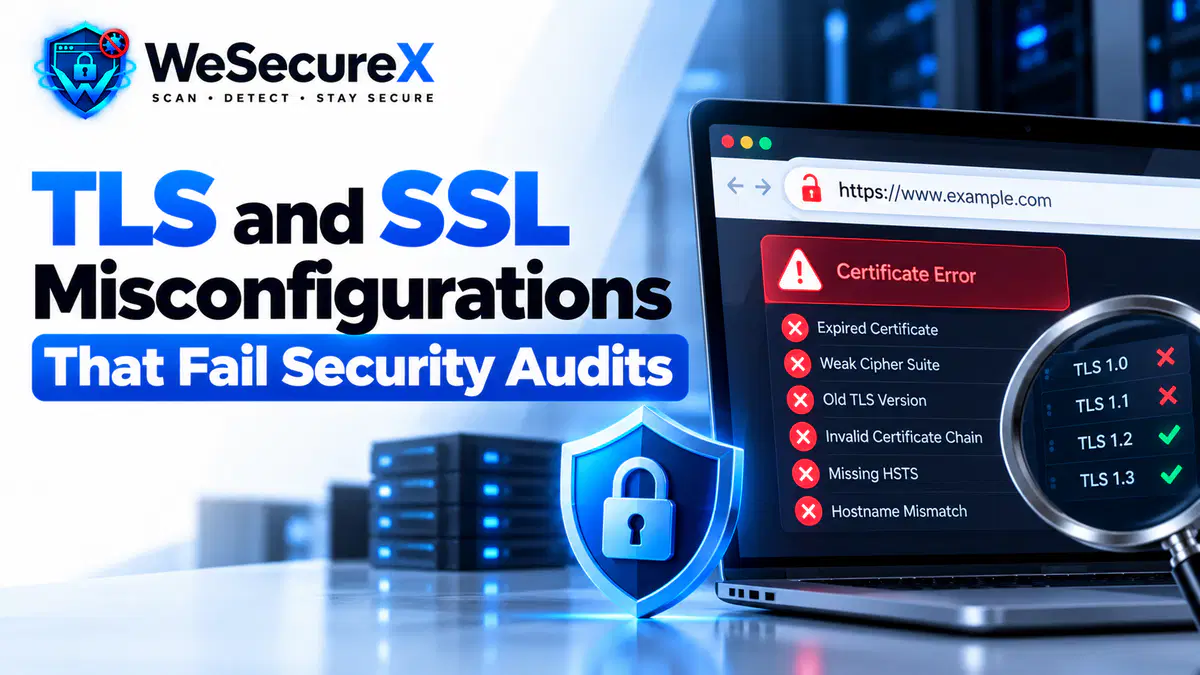
TLS and SSL sit at the foundation of web security. When configured correctly, they protect data in transit and give visitors confidence. When configured poorly, they quietly weaken everything else. A site can have strong authentication, clean code, and proper access controls, and still fail an audit because of a single outdated cipher suite.
The problem is that TLS misconfigurations are easy to miss. The site looks fine. The padlock icon appears. Nothing seems broken. Yet scanners and auditors flag the same issues year after year: weak protocols, expired certificates, missing chain files, and ciphers no modern browser should accept.
This guide covers the ten most common TLS and SSL misconfigurations, how scanners detect them, and how to fix each one. If you are new to security testing, start with our vulnerability scanning guide.
Quick Answer
The most common TLS and SSL misconfigurations are outdated protocols like TLS 1.0 and 1.1, weak cipher suites, expired or misconfigured certificates, missing intermediate certificates, improper redirects, mixed content, missing HSTS headers, wildcard certificate overuse, self signed certificates in production, and incomplete chain of trust. Each one fails audits and each one has a straightforward fix.
Why TLS Misconfigurations Matter
TLS protects data moving between your server and your users. That includes login credentials, payment details, session tokens, and personal information. A weak TLS configuration means an attacker on the same network could intercept and read that data.
Beyond security, TLS misconfigurations carry business costs. Browser warnings scare visitors away. Search engines may downgrade sites with poor HTTPS. Compliance frameworks like PCI DSS basics and SOC 2 overview require strong transport security. Clients and partners ask about it during procurement.
For the fundamentals, read our guide on HTTPS and SSL importance. For configuration details, see our TLS and SSL configuration guide.
Misconfiguration 1: Support for TLS 1.0 and 1.1
TLS 1.0 and 1.1 are deprecated. They contain known weaknesses that allow downgrade attacks and cipher manipulation. Every major browser dropped support years ago. The PCI Security Standards Council formally retired them for payment environments.
If your server still accepts these protocols, scanners will flag it. Fix it by disabling them in your web server or load balancer configuration and allowing only TLS 1.2 and TLS 1.3.
Misconfiguration 2: Weak Cipher Suites
Even with modern TLS versions, weak ciphers can undermine security. Scanners look for ciphers using RC4, 3DES, DES, or export grade encryption. They also flag ciphers without forward secrecy.
Forward secrecy means each session uses a unique key. If an attacker records traffic today and steals your private key tomorrow, they still cannot decrypt past sessions. Modern cipher suites provide this. Enable them, and disable anything older.
Prioritize suites that use AES with GCM or ChaCha20 with Poly1305. Disable CBC mode where possible.
Misconfiguration 3: Expired or Invalid Certificates
An expired certificate triggers a browser warning and breaks trust instantly. Scanners flag any certificate that is expired, not yet valid, or issued to the wrong domain.
Set up monitoring so you are alerted at least 30 days before expiry. Most certificate authorities offer automated renewal. Use it. If you manage certificates manually, put renewal dates in your calendar and assign an owner.
Misconfiguration 4: Missing Intermediate Certificates
Certificates form a chain. Your server certificate is signed by an intermediate certificate, which is signed by a root certificate. If your server does not send the intermediate certificate, some clients cannot build the chain and will reject the connection.
This issue is sneaky. Modern browsers often cache intermediates and hide the problem. Older clients, mobile apps, and API consumers may fail. Scanners catch this by testing the full chain.
Fix it by concatenating the intermediate certificate with your server certificate in the correct order.
Misconfiguration 5: Improper HTTP to HTTPS Redirects
Every HTTP request should redirect to HTTPS. If some routes stay on HTTP, or if the redirect chain is broken, scanners flag it. Redirect loops are a common mistake, especially when a CDN or load balancer is also involved.
Use a single 301 redirect from HTTP to HTTPS. Avoid chains of multiple redirects. Test with a tool like curl to confirm the flow.
Misconfiguration 6: Mixed Content
Mixed content happens when an HTTPS page loads resources over HTTP. That includes images, scripts, stylesheets, and fonts. Browsers block some of these and warn about others. Scanners flag any HTTP resource loaded on an HTTPS page.
Search your codebase for http:// URLs. Update them to https:// or use protocol relative URLs. Check third party scripts especially, since they often slip through.
Mixed content also affects your Core Web Vitals and your technical SEO audit results, since browser warnings reduce trust signals.
Misconfiguration 7: Missing HSTS Header
HTTP Strict Transport Security tells browsers to only connect over HTTPS. Without it, a user who types your domain without https:// may still make an initial HTTP request, which an attacker could intercept.
Add the Strict-Transport-Security header with a reasonable max age. Start with a short duration, test thoroughly, then increase it. Our security headers guide covers the full set of headers you should configure.
Misconfiguration 8: Wildcard Certificates Used Too Broadly
A wildcard certificate covers every subdomain under your domain. That is convenient, but it concentrates risk. If the certificate is stolen, every subdomain is affected.
Use wildcard certificates only where necessary. For critical systems, use dedicated certificates with narrower scope. Rotate them on a schedule.
Misconfiguration 9: Self Signed Certificates in Production
Self signed certificates are fine for internal testing. In production, they cause browser warnings and break trust. Scanners flag them immediately.
If you need free certificates, use a trusted authority like Let's Encrypt. Automate renewal so you never face expiry.
Misconfiguration 10: Incomplete Chain of Trust
Sometimes the certificate is valid and the intermediate is present, but the root is not trusted by the client. This happens when a certificate authority is not widely recognized or when the chain is broken in a subtle way.
Test your configuration with tools like SSL Labs and Hardenize. They show the full chain and flag trust issues.
How Scanners Detect TLS Issues
Most vulnerability scanners check TLS configuration automatically. They test:
Supported protocol versions
Accepted cipher suites
Certificate validity, expiry, and chain
Hostname matching
HSTS header presence
Mixed content on HTTPS pages
Redirect behavior
For a broader view of what scanners look for, see what is vulnerability scanning. For scan frequency, read how often should you run a vulnerability scan.
How to Fix TLS Misconfigurations Fast
Most fixes are configuration changes, not code changes. Here is the practical order.
Step 1: Disable TLS 1.0 and 1.1. Update your server configuration. Test with SSL Labs before and after.
Step 2: Update cipher suites. Remove weak ciphers and enable forward secrecy.
Step 3: Automate certificate renewal. Use a trusted authority with automated renewal.
Step 4: Fix the certificate chain. Include intermediates in the correct order.
Step 5: Add HSTS. Start with a short max age and increase it after testing.
Step 6: Remove mixed content. Update all HTTP resources to HTTPS.
Step 7: Fix redirects. Ensure a single clean 301 from HTTP to HTTPS.
Step 8: Re-scan to verify. Confirm each issue is resolved. Our post on what to do after a vulnerability scan covers the verification workflow.
Common Mistakes During TLS Hardening
Enabling only TLS 1.3 too early. Some older clients still need TLS 1.2. Support both.
Breaking API consumers. Mobile apps and third party integrations may use old TLS versions. Test before you disable.
Forgetting the load balancer. TLS may terminate at the load balancer, not the web server. Update both.
Ignoring CDN settings. Many CDNs have their own TLS configuration. Review it separately.
Not testing after changes. Configuration changes can break things silently. Always verify.
Skipping renewal automation. Manual renewals get missed. Automate them.
TLS and Compliance
Compliance frameworks care about transport security. PCI DSS requires strong TLS for cardholder data. SOC 2 expects encryption in transit. GDPR expects appropriate technical measures for personal data. Our GDPR for developers guide explains the privacy side.
If you handle payments, review PCI DSS basics. If you serve enterprise clients, review SOC 2 overview.
Quick Checklist
- □
TLS 1.0 and 1.1 disabled
- □
Only strong cipher suites enabled
- □
Forward secrecy supported
- □
Certificate valid and not near expiry
- □
Intermediate certificates included
- □
HTTP redirects to HTTPS correctly
- □
No mixed content
- □
HSTS header present
- □
Wildcard certificates limited in use
- □
No self signed certificates in production
- □
Full chain of trust verified
- □
Configuration tested with SSL Labs
- □
Re-scan completed after fixes
FAQ
What is the most common TLS misconfiguration?
Support for outdated protocols like TLS 1.0 and 1.1, followed by weak cipher suites.
How often should I check my TLS configuration?
Monthly at minimum, and after any server, load balancer, or CDN change.
Can a scanner detect TLS issues automatically?
Yes. Most vulnerability scanners include TLS checks in their default profiles.
Do I need HSTS?
Yes, for any site handling sensitive data. It prevents downgrade attacks.
What if I cannot disable TLS 1.0 because of an old client?
Isolate that client on a separate endpoint with a documented exception and a migration plan.
How do I test my configuration?
Use SSL Labs for a free and thorough assessment.
Where can I learn more?
Start with our guides, especially the TLS and SSL configuration and security headers guides.
Conclusion
TLS and SSL misconfigurations are among the easiest security issues to fix and among the most commonly ignored. They fail audits, scare visitors, and weaken every other control you have in place. Review the ten issues in this guide, test your configuration, and fix what you find.
If you want help hardening your TLS setup or passing an audit, learn more about us, explore our pricing, check our privacy and refund policies, or contact us for a security review. You can also read more articles on our blog.
Audit Your Website for Vulnerabilities in Real Time
Run an automated OWASP Top 10 security assessment, check SSL/TLS posture, and map your attack surface.
Related Technical Articles & Research
How to Scan a Website Without Breaking It
Essential DAST best practices: rate limiting, safe request windows, and non-destructive payload testing on production web apps.
What to Do After a Vulnerability Scan: 10 Step Remediation Roadmap
A structured 10-step triage and engineering workflow to verify, prioritize, patch, and re-test reported vulnerabilities.
False Positives in Vulnerability Scanning: How to Triage Them
Techniques to distinguish real security vulnerabilities from scanner noise, verify proof-of-concepts, and streamline security operations.
How to Prioritize Vulnerabilities by Business Impact
Contextual risk scoring: why raw CVSS scores fall short and how asset criticality and exploitability dictate remediation urgency.