False Positives in Vulnerability Scanning: How to Triage Them
 WeSecureXOctober 12, 2026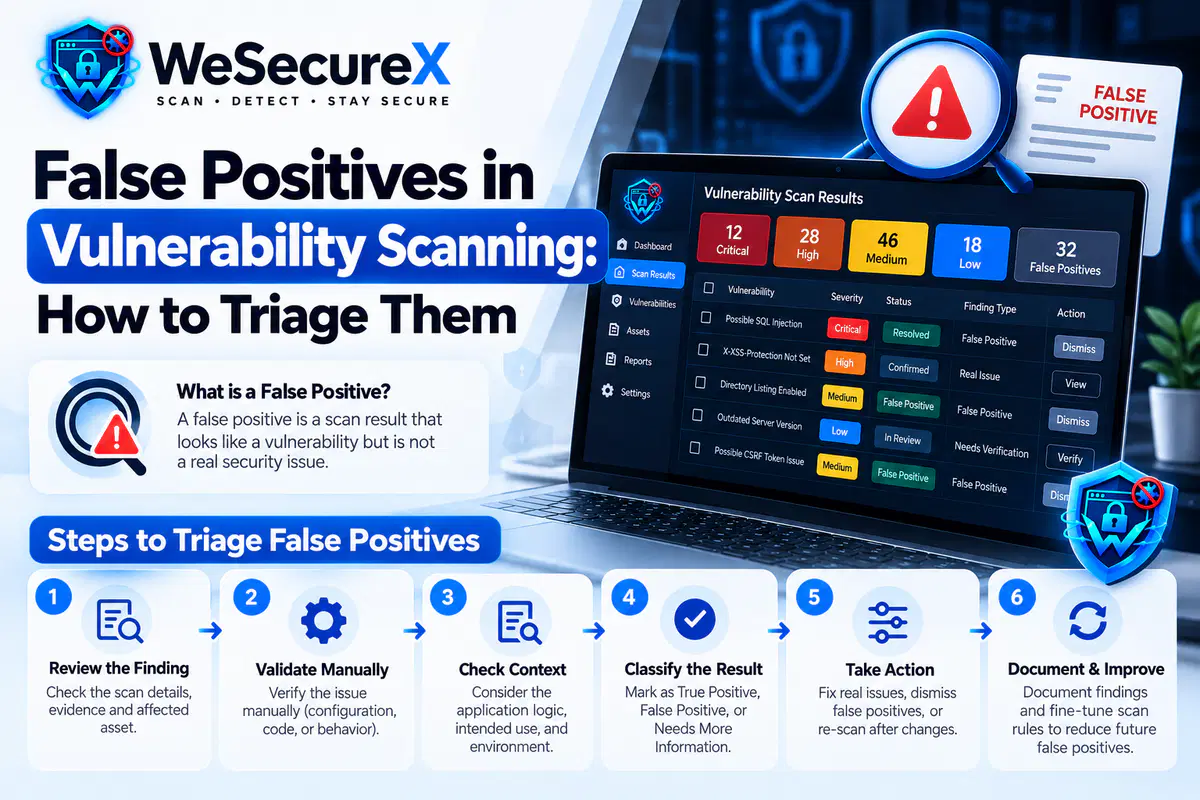
You ran a scan, and the report looks terrifying. Hundreds of findings, dozens marked critical. Then you start checking them one by one and realize half of them are not real. A flag on a page that does not exist. A flaw in a library version you already patched. An alert on a service that is not even exposed. This is the false positive problem, and it quietly destroys security programs.
When your team learns to distrust the scanner, they start ignoring real findings too. That is how breaches happen. This guide explains why false positives occur, how to triage them quickly, and how to reduce them over time.
If you are new to scanning, start with our vulnerability scanning guide. For the definition of the process, read what is vulnerability scanning.
Quick Answer
A false positive is a finding that the scanner reports as a vulnerability but is not actually exploitable in your environment. Triage them by verifying each one manually, classifying it as real, false, or uncertain, and then tuning the scanner rules so the same false alarm does not return next week.
What Counts as a False Positive?
Not every incorrect finding is the same. It helps to separate them into three groups.
True false positive. The scanner claims a vulnerability exists, but it does not. For example, it flags a version of a library based on a banner string that was never updated, even though the underlying code was patched.
False negative. The opposite problem. The scanner misses a real vulnerability entirely. This is more dangerous than a false positive because it creates false confidence.
True positive with low impact. The finding is real, but it does not matter in your context. A valid issue on an internal test box that no one can reach is still a real flaw, but its business impact is low.
Most teams lump all three together and call them noise. Separating them changes how you respond. For help ranking the real findings, read our post on how to prioritize vulnerabilities by business impact.
Why Scanners Produce False Positives
Understanding the cause makes triage faster. Here are the most common reasons.
1. Version Detection by Banner Only
Many scanners guess software versions by reading HTTP headers, server banners, or page fingerprints. If a vendor backports a security patch without changing the version number, the scanner still reports the old flaw. This is extremely common with Linux distributions that backport fixes.
2. Generic Pattern Matching
Scanners look for patterns, not meaning. A reflected input parameter might look like XSS even when the output is safely encoded. A database error message might look like SQL injection even when the query is parameterized.
3. Wrong Scope or Stale Targets
If your target list includes old subdomains, decommissioned servers, or wildcard entries, the scanner may test systems that no longer matter. Findings on dead assets create pure noise.
4. Misconfigured Scan Settings
Aggressive scan profiles produce more false positives. Some scanners test payloads that trigger application errors without proving exploitability. Authentication failures during a scan can also cause incorrect results.
5. CDN and WAF Interference
When a content delivery network or web application firewall sits in front of your app, the scanner may see the WAF response instead of your application. This can create findings that do not reflect your real code.
6. Shared Infrastructure
On shared hosting or cloud platforms, a finding on one tenant can appear on another. The scanner cannot always tell whose service it is testing.
7. Outdated Vulnerability Databases
Scanners rely on feeds from sources like the CVE database and the NIST National Vulnerability Database. If the feed is stale, the scanner may report issues that were resolved months ago.
The Real Cost of Ignoring False Positives
False positives are not just annoying. They cause measurable damage.
Alert fatigue. Teams stop reading reports. Real critical findings get skipped.
Wasted hours. Engineers spend days verifying issues that were never real.
Broken trust. Leadership stops funding security work because "nothing ever gets fixed."
Compliance risk. Auditors see unresolved findings and ask hard questions.
Missed breaches. The one real vulnerability hides inside a pile of fake ones.
The goal is not zero false positives. That is unrealistic. The goal is a triage process that separates signal from noise in minutes, not days.
A Step by Step Triage Process
Use this process for every scan cycle. It scales from a solo developer to a security team.
Step 1: Deduplicate Before You Triage
The same flaw often appears many times. One vulnerable library used across twenty pages becomes twenty findings. Group them by CVE or CWE and fix once. Our guide on CVE vs CWE vs CVSS explains how these identifiers map together.
Step 2: Confirm the Asset Exists
Before you investigate the flaw, confirm the target is real. Is the host still in service? Is the endpoint still published? If the asset is gone, close the finding and remove it from scope.
Step 3: Reproduce Manually
Try to trigger the issue by hand. Send the request, inspect the response, and check the behavior. If you cannot reproduce it, mark it as a likely false positive and note why.
Step 4: Check the Actual Version
Do not trust the banner. Log into the system and confirm the installed version. Check the vendor advisory to see if the patch was applied. This single step eliminates a large share of false positives.
Step 5: Apply Context
Ask the four context questions:
Is the asset reachable from the internet?
Does it store sensitive data?
Is the finding on a path an attacker could use?
Is there a working exploit in the wild?
If the answer to all four is no, the finding is real but low priority. Move it to the backlog.
Step 6: Classify and Record
Label each finding as one of the following:
| Label | Meaning | Action |
|---|---|---|
| Real critical | Exploitable and high impact | Fix now |
| Real moderate | Valid but limited impact | Schedule |
| Uncertain | Needs more testing | Assign owner |
| False positive | Not exploitable in your setup | Close and tune |
| Out of scope | Asset should not be scanned | Remove from scope |
Step 7: Tune the Scanner
This is the step most teams skip. After closing a false positive, adjust the scanner configuration so it does not return. Options include excluding specific paths, adjusting plugin settings, using authenticated scans, and updating the vulnerability feed.
Step 8: Review the Trend
Track how many false positives you close each cycle. If the number stays flat, your tuning is not working. If it drops, your triage process is improving.
How to Reduce False Positives Long Term
You cannot eliminate them, but you can cut them sharply with these practices.
Use authenticated scans. Logged in scans see the real application state and produce far fewer false alarms.
Keep an accurate asset inventory. Stale targets are a leading source of noise.
Maintain a scope document. Write down what is in scope and what is not. Update it every quarter.
Standardize your stack. Fewer custom configurations mean fewer edge cases for the scanner to misread.
Update scanner plugins weekly. Fresh signatures catch new issues and stop reporting patched ones.
Combine scanners. Different tools miss different things. Cross checking reduces both false positives and false negatives.
Feed results into code review. If a scanner keeps flagging the same coding pattern, fix the pattern in your standards.
False Positives vs False Negatives
It is worth repeating because it shapes your whole strategy. A false positive wastes time. A false negative creates a hidden breach path. Both matter, but they require different fixes.
To reduce false positives, tune and verify. To reduce false negatives, use multiple tools, add manual testing, and schedule periodic penetration testing. Automated scanning and human testing cover each other's blind spots.
Where This Fits in Your Program
Triage is the step between scanning and fixing. Without it, scanning produces noise and fixing becomes random. With it, scanning produces a clean, prioritized list your team can actually act on.
For the wider workflow, read our web security basics guide. For a broader view of the standards involved, browse our compliance and security guides.
Quick Checklist
- □
Deduplicate findings by CVE or CWE
- □
Confirm each asset still exists
- □
Reproduce the issue manually
- □
Verify the installed version against vendor advisories
- □
Apply exposure, data, and exploit context
- □
Classify each finding with a clear label
- □
Assign an owner to every uncertain item
- □
Tune the scanner after each closed false positive
- □
Update scope and asset inventory quarterly
- □
Track the false positive trend month over month
FAQ
What is a false positive in vulnerability scanning?
It is a finding the scanner reports as a vulnerability that is not actually exploitable in your environment.
Are false positives normal?
Yes. Every scanner produces them, especially on complex or customized applications. The goal is to manage them, not to expect zero.
How long should triage take per finding?
Most findings take two to five minutes once you have a process. Complex ones take longer.
Can I just filter out all low findings?
You can deprioritize them, but do not ignore them entirely. Some low findings become urgent when exposure changes.
Do false positives affect compliance?
Yes. Auditors see unresolved findings. A documented triage process shows you handle them properly.
How often should I tune my scanner?
After every scan cycle. Small adjustments each time prevent the same noise from returning.
Where do I start if I have no process?
Start with deduplication and version verification. Those two steps remove most false positives quickly.
Conclusion
False positives in vulnerability scanning are not a sign that your tools are broken. They are a sign that security scanning is hard. The fix is a repeatable triage process: deduplicate, verify the asset, reproduce the issue, check the real version, apply context, classify, and tune. Do that each cycle and your reports get cleaner, your team moves faster, and real risks stop hiding in the noise.
Need help building a triage workflow? Explore our guides, browse the WeSecureX blog, check our pricing, or contact us for a security review.
Audit Your Website for Vulnerabilities in Real Time
Run an automated OWASP Top 10 security assessment, check SSL/TLS posture, and map your attack surface.
Related Technical Articles & Research
How to Scan a Website Without Breaking It
Essential DAST best practices: rate limiting, safe request windows, and non-destructive payload testing on production web apps.
What to Do After a Vulnerability Scan: 10 Step Remediation Roadmap
A structured 10-step triage and engineering workflow to verify, prioritize, patch, and re-test reported vulnerabilities.
How to Prioritize Vulnerabilities by Business Impact
Contextual risk scoring: why raw CVSS scores fall short and how asset criticality and exploitability dictate remediation urgency.
CVE vs CWE vs CVSS: Plain English Guide for 2026
Demystifying CVE flaw IDs, CWE taxonomy weaknesses, and CVSS v3.1/v4.0 severity scoring metrics for web developers.