Continuous Security Scanning vs One-Time Scans
 WeSecureXOctober 20, 2026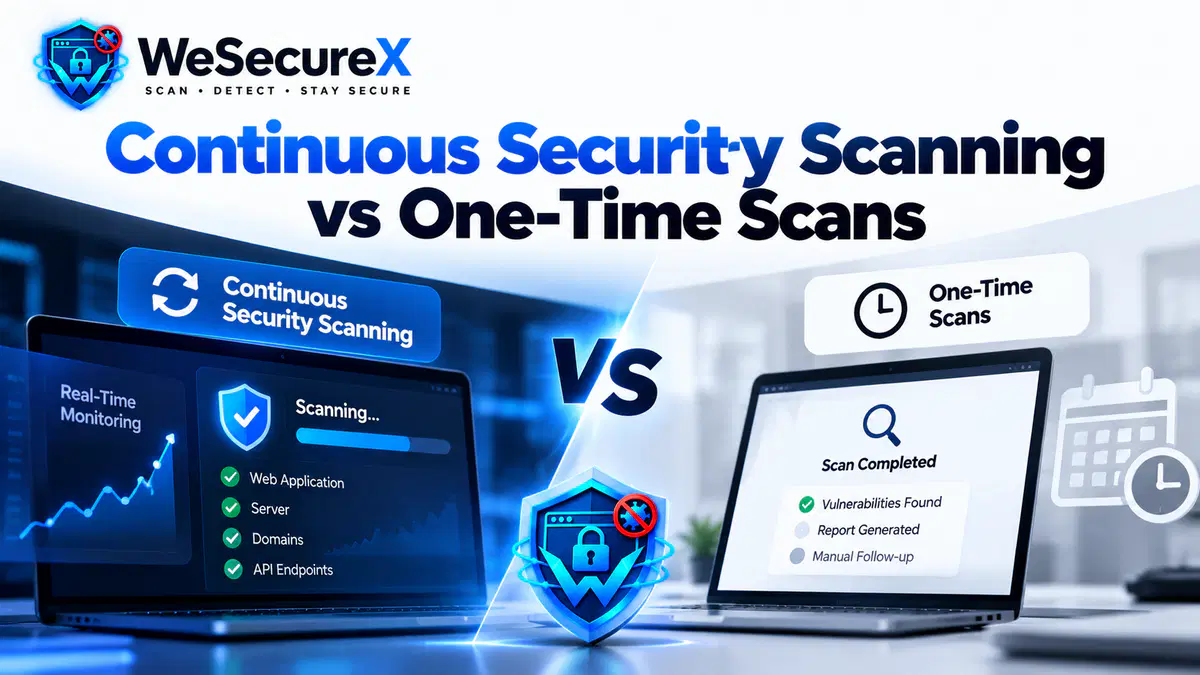
Most security teams start the same way. They run a single vulnerability scan, fix what they can, and then move on. Six months later, a new plugin, a new dependency, or a new server setting introduces a fresh weakness. Nobody notices until something goes wrong.
That is the gap between one-time scanning and continuous security scanning. One is a snapshot. The other is a system. Choosing the wrong model does not just affect your security posture. It affects your budget, your team's workload, and your ability to prove compliance.
This guide breaks down both models, compares them honestly, and helps you pick the right one. If you are new to scanning, start with our vulnerability scanning guide.
Quick Answer
A one-time scan tells you what was vulnerable on a single day. Continuous scanning tells you what is vulnerable right now, every hour, as your systems change. One-time scans suit low risk static sites. Continuous scanning suits anything with user accounts, payments, APIs, or frequent releases.
What Is One-Time Security Scanning?
A one-time scan is exactly what it sounds like. You point a scanner at a target, run it once, and receive a report. You may run it again next quarter or next year, but the scanning itself is not ongoing.
Teams use one-time scans for several reasons:
A pre-launch security check before a new site goes live
An annual audit required by a client or partner
A one-off review after a security incident
A budget constrained first step into security testing
The results are useful, but they expire quickly. A clean report from January says nothing about your security in December.
What Is Continuous Security Scanning?
Continuous scanning runs all the time. It monitors your assets on a schedule or in real time, checks for new vulnerabilities as they are published, and alerts you when something changes.
Continuous scanning usually includes:
Automated scans running daily, hourly, or on every deployment
Monitoring of new CVE disclosures against your stack
Alerts when a component you use becomes vulnerable
Integration with your deployment pipeline
Historical tracking so you can see trends over time
This is the model behind modern vulnerability management programs. It treats security as a process, not an event.
The Core Difference in One Sentence
A one-time scan answers the question: were we vulnerable on that day? Continuous scanning answers the question: are we vulnerable right now?
That difference sounds small. In practice it changes everything about how your team works.
Side by Side Comparison
| Factor | One-Time Scanning | Continuous Scanning |
|---|---|---|
| Frequency | Once or twice a year | Daily, hourly, or per deployment |
| Visibility | Point in time | Always current |
| Coverage | Whatever existed that day | Includes new code and new assets |
| Response time | Weeks or months after a flaw appears | Hours or minutes |
| Cost model | Lower upfront | Subscription or managed service |
| Team effort | Spikes during scan cycles | Steady, automated |
| Compliance value | Evidence for one moment | Evidence across time |
| Best suited for | Static, low risk sites | SaaS, ecommerce, APIs, regulated industries |
Why One-Time Scans Still Matter
This is not a case where one model is always wrong. One-time scans have real value.
Before a major launch, a deep scan catches issues that continuous monitoring might not have time to analyze. Before a compliance audit, a one-time penetration test produces documentation that auditors expect. After an incident, a focused scan confirms the damage is contained.
The mistake is treating a one-time scan as a complete security program. It is a checkpoint, not a shield.
Why Continuous Scanning Wins for Most Teams
Modern applications change constantly. A SaaS product might deploy ten times a day. An ecommerce site updates plugins weekly. New APIs, new dependencies, and new cloud services appear without anyone thinking of them as new attack surface.
Continuous scanning keeps pace with that change. It catches the vulnerability that appeared at 3 PM on a Friday, not the one that existed six months ago. It also fits naturally into DevOps workflows, where code moves through pipelines quickly.
For teams that handle payments, personal data, or authentication, continuous scanning is not a luxury. It is the baseline. Review our API security best practices for related guidance.
The Hidden Cost of Point-in-Time Scanning
One-time scans appear cheaper. The invoice is smaller. But the total cost includes several items that do not show up on a quote.
Detection gap. Between scans, you are blind. Attackers only need one window.
Incident cost. A breach caused by a flaw that appeared after your last scan is expensive to contain, investigate, and disclose.
Rework. When you scan rarely, you accumulate findings. A single annual scan can produce hundreds of issues, all competing for attention at once.
Compliance friction. Auditors increasingly expect evidence of ongoing monitoring, not a single report. Standards like SOC 2 and PCI DSS reward continuous evidence.
Team burnout. Annual scan projects create intense bursts of work. Continuous scanning spreads the effort across the year.
What Continuous Scanning Looks Like in Practice
Continuous scanning is not just a scanner running in the background. A working program includes several connected pieces.
Automated discovery. New subdomains, new endpoints, and new cloud services get added to scope automatically.
Scheduled and event driven scans. Daily scans run on a timer. Deployment scans trigger when code ships.
Threat feed matching. When a new CVE is published, the system checks whether any of your components are affected. Sources such as the NIST National Vulnerability Database and the CISA Known Exploited Vulnerabilities Catalog drive these alerts.
Prioritization by impact. Findings are scored using systems like CVSS and EPSS combined with business context.
Alerting and ticketing. Real issues create tickets automatically and route to the right owner.
Historical tracking. Trends show whether your posture is improving or slipping.
That combination is what separates a scanner from a security program.
How Continuous Scanning Fits Compliance
Regulators and frameworks increasingly favor continuous evidence. They want to see that monitoring happens regularly, not that a report once existed.
For GDPR for developers, the principle of ongoing security is implied by the requirement to protect personal data. For SOC 2, monitoring is an explicit control. For PCI DSS, regular scanning is required for certain system categories.
Continuous scanning produces a timeline. That timeline is often more valuable to an auditor than a single clean report.
Choosing the Right Mix for Your Business
Most organizations end up with a hybrid model. Here is a practical way to decide.
Choose one-time scanning only if you run a static marketing site with no user accounts, no payments, and no sensitive data.
Choose continuous scanning if you run a SaaS product, an ecommerce store, an API platform, or any system that handles personal or payment data.
Add periodic penetration testing on top of continuous scanning. Automated tools miss logic flaws and chained attacks. Our post on vulnerability scanning vs penetration testing explains when each applies.
For a broader view of scan timing, read how often should you run a vulnerability scan.
How to Move From One-Time to Continuous
The transition does not require a full rebuild. Follow these steps.
Step 1: Inventory your assets. You cannot monitor what you have not listed.
Step 2: Pick a starting scope. Begin with internet facing systems and anything that stores sensitive data.
Step 3: Enable scheduled scans. Weekly is a reasonable start. Move to daily as your team adjusts.
Step 4: Add deployment scans. Wire scanning into your release pipeline.
Step 5: Connect threat feeds. Subscribe to CVE and CISA updates and match them against your stack.
Step 6: Set up alert routing. Real findings should reach a named owner, not a shared inbox.
Step 7: Review trends monthly. Track open critical and high findings over time.
Step 8: Tune continuously. Remove noise, adjust scope, and refine thresholds.
If you want help designing this workflow, review our pricing or contact us for a scoping call.
Common Mistakes With Both Models
Running one scan and calling it a program. A single report is evidence of effort, not security.
Buying a continuous tool without a process. Automation without triage produces noise.
Scanning only production. Staging environments are often exposed and unpatched.
Ignoring findings after alerts. Continuous scanning only helps if someone acts.
Skipping verification scans. Fixes must be confirmed, not assumed.
Forgetting about CSRF attacks and logic flaws. Automated scanning has limits. Manual testing covers the rest.
A Note on SEO and Site Health
Security problems rarely stay contained. A hacked site can lose rankings, trigger browser warnings, and break indexing. A safe scanning process protects your visibility as well. Review your technical SEO audit and Core Web Vitals alongside your security work. Also confirm your HTTPS and SSL importance settings are current, since browser warnings directly affect trust and traffic.
Quick Checklist
- □
Asset inventory completed
- □
One-time baseline scan run
- □
Continuous scanning enabled for critical systems
- □
Deployment scans wired into the pipeline
- □
Threat feeds connected
- □
Alert routing assigned to owners
- □
Findings triaged within 48 hours
- □
Fixes verified with a re-scan
- □
Monthly trend review scheduled
- □
Annual penetration test booked
FAQ
Is continuous scanning the same as continuous monitoring?
They overlap. Continuous monitoring usually includes scanning plus log analysis, file integrity checks, and behavioral alerts.
Can I do continuous scanning on a small budget?
Yes. Many tools offer affordable tiers. Start with your most exposed systems and expand over time.
Does continuous scanning create too many alerts?
Only if it is not tuned. Proper prioritization using CVSS and business impact keeps the list manageable.
Do I still need penetration testing?
Yes. Automated tools miss logic flaws and chained attacks that a human tester will find.
How long until continuous scanning pays off?
Most teams see measurable improvement within one to two quarters.
What if I only have a static website?
A monthly or quarterly scan may be enough. Add continuous monitoring if you collect any user data.
Where do I start?
Start with an inventory, then scan your public facing systems weekly. Browse our guides and blog for more detail.
Conclusion
One-time scanning tells you where you stood. Continuous security scanning tells you where you stand now, and alerts you the moment that changes. For static sites, a periodic scan may be enough. For anything with users, payments, or frequent releases, continuous scanning is the practical baseline.
Most mature programs use both. Continuous scanning for daily visibility, periodic deep scans and penetration tests for depth. Build the habit, and your security posture improves month after month.
Want to move from one-time scans to a continuous program? Learn more about us, review our privacy and refund policies, or contact us to get started.
Audit Your Website for Vulnerabilities in Real Time
Run an automated OWASP Top 10 security assessment, check SSL/TLS posture, and map your attack surface.
Related Technical Articles & Research
How to Scan a Website Without Breaking It
Essential DAST best practices: rate limiting, safe request windows, and non-destructive payload testing on production web apps.
What to Do After a Vulnerability Scan: 10 Step Remediation Roadmap
A structured 10-step triage and engineering workflow to verify, prioritize, patch, and re-test reported vulnerabilities.
False Positives in Vulnerability Scanning: How to Triage Them
Techniques to distinguish real security vulnerabilities from scanner noise, verify proof-of-concepts, and streamline security operations.
How to Prioritize Vulnerabilities by Business Impact
Contextual risk scoring: why raw CVSS scores fall short and how asset criticality and exploitability dictate remediation urgency.